Enterprise SSO is live in SuperOrgs
Company sign-in connects Okta, Microsoft Entra, Google Workspace, or any SAML or OIDC provider, so your people sign in with the account your company already manages.

Your company already has one system that decides who can sign in to what. It holds the accounts, the passwords, the second factor, and the answer to who still works here. SuperOrgs now plugs into it.
Company sign-in is live. Connect Okta, Microsoft Entra, Google Workspace, or any other SAML or OIDC provider, and your people sign in to SuperOrgs with the account they already use for everything else. One account, the one your company manages.
What shipped
Okta, Microsoft Entra, Google Workspace, or any SAML or OIDC provider. Choose yours on the Connection step. If it is not on the list, a generic SAML or OIDC connection covers it.
Four steps under Settings, then Security. Add the email domain your teammates use at work and prove your company owns it with a DNS record. Connect the provider. Test the connection. Then activate it. Nothing changes for your team until that last step.
Admins manage it, roles still decide the rest. Company sign-in is set up and managed by workspace Admins. Once someone is in, their team role controls what they can see and do inside SuperOrgs, exactly as before.
Sign-in, not provisioning. Company sign-in decides who can get in. It does not add or remove people in your workspace when they join or leave the company; automatic provisioning and offboarding need a separate directory connection.
Turning it on
- Ask your SuperOrgs contact to enable SSO setup for your workspace.
- Have your company's DNS settings and your identity provider's admin console at hand. You will need both.
- As a workspace Admin, open Settings, then Security in SuperOrgs and follow the four steps.
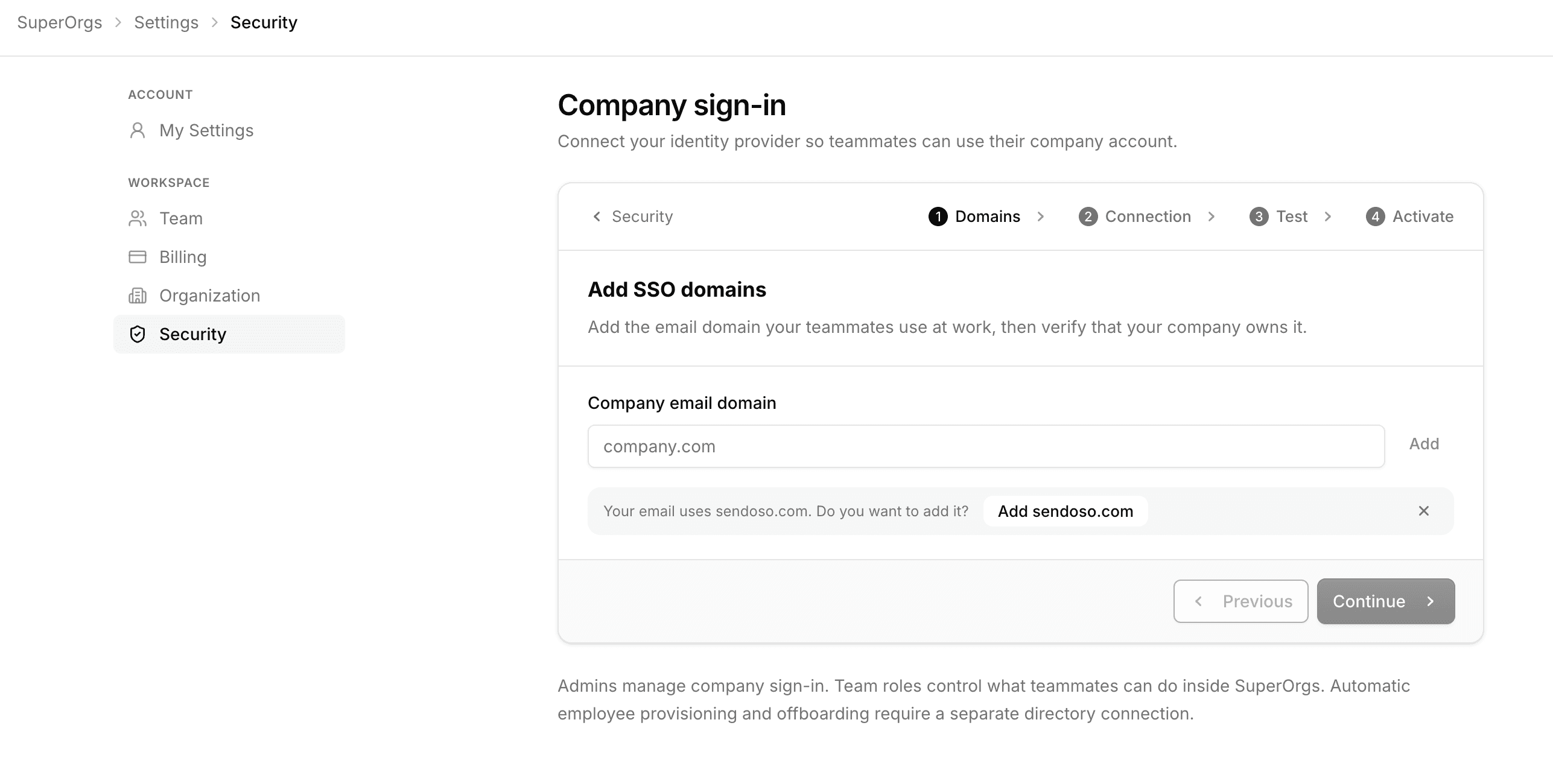
Figure 1. Company sign-in under Settings, then Security. The first step adds the email domain your teammates use at work and verifies that your company owns it.
Security is the whole point
SuperOrgs holds a map of your company: every person, every agent, what each one is doing, and what it costs. One set of rules protects it everywhere you reach SuperOrgs: the app, the MCP server, and the streaming API.
- One organization per request. Your organization comes from your verified sign-in, never from anything in the request, so no query can reach another company's data.
- Roles decide what you see. Every tool and resource runs the same permission checks as the app. If you cannot see an agent in the app, your assistant cannot see it either.
- Credentials you can revoke. Streaming credentials are issued per agent, stored only as a hash, and revocable at any time. Actions in SuperOrgs are recorded in an audit log.
- SOC 2. SuperOrgs is fully managed and every organization is tenant-isolated. The SOC 2 audit report is available under NDA.
Company sign-in puts your own front door in front of all of that. The sign-in rules your company already enforces, including any second factor, now apply to SuperOrgs too, and an account your identity provider turns off can no longer sign in. The full model is on the security page.
If you already use SuperOrgs, ask your contact to enable setup and open Settings, then Security. If you do not, get a demo.